
What’s this then?
This is the landing page of the VOP project.
Video Optical Printer
What does it do?
It is an application that runs on a Raspberry Pi 4B. It shows and moves an image in a 3D plane on an HDMI screen. And it captures that image using long exposures with a Raspberry Pi Camera HQ. It does this controlled by the exposure sheet that tells it where and how to move the images during each exposure. And as a bonus. When the VOP goes to save the exposure and finds that it already has a file of the same name, the magic of the LIME system kicks in.
What’s LIME?
Lime is the mechanism of:
- L - Latent
- I - Image
- M - Multiple
- E - Exposure
All image files that are in the Camera Magazine (the CamMag folder) are treated as latent images in the sense of traditional film photography. An image is there, ready to be used. And if you expose more light to it. It just adds that light to the latent image.
The upshot of this is that we can do “in camera” multiple exposures. The “downside” is that… there are no undo’s. Once light is exposed to the latent image. It’s recorded.
The latent images
The image files themselves are 16 bit per channel TIFF with linear light encoding. This is to ensure that it records the light as accurately as possible. And with the camera only doing 12 bit per channel. We have a little headroom. And the linear light means that exposures behave more like real life light. To double exposure, hit it with twice amount of light.
How many images can be used per exposure?
Essentially, this is a single image per exposure system. It can load a second and third image as a bipack. But those two or three images are multiplied together as one before exposure.
What images can it show?
Pretty much any jpeg, png and tiff can be used as a source image to be shown for exposure. But remember. The VOP does not know about Alpha channels. If the pixel has light it gets added, if it’s black it isn’t. That’s not a bug. That’s a feature. It’s part of the unreasonable realism of the system. If you want control over transparancies, you need to budget in holdout mattes and also use the LAB/INVERT button to get the images in the camera to transform between positives and negatives.
Can it use video as a source?
Why yes! If you push a video file (should be compatible with anything ffmpeg can ingest) the VOP will ingest it through an ffmpeg command that converts the video to a series of tiff images ready to be used. When video is detected, three new columns will appear in the exposure sheet to let you control which frame is shown when. In keeping with the unreasonable realism, the capabilities of this resembles most a J.K. Optical Printer. So no fancy warping or anything.
You can even upload a video to the Camera Mag itself. that way you can feed it high quality fine tonal detail video that would struggle to get through consumer grade monitors used on the projection side.
So what can it be used to create?
Basically, anything an old optical printer could do with a flat 2D image, and more. And with the 3D Plane tech and the multiple exposure capabilities, it can do backlit animation and slit-scan animation the same convoluted ways they used to be done before computers came around to make everything so much simpler.
you can even take advantage of the optical path in the system to set up physical objects like mirrors, reflectors, lens filters and other such fun things.
How is it controlled?
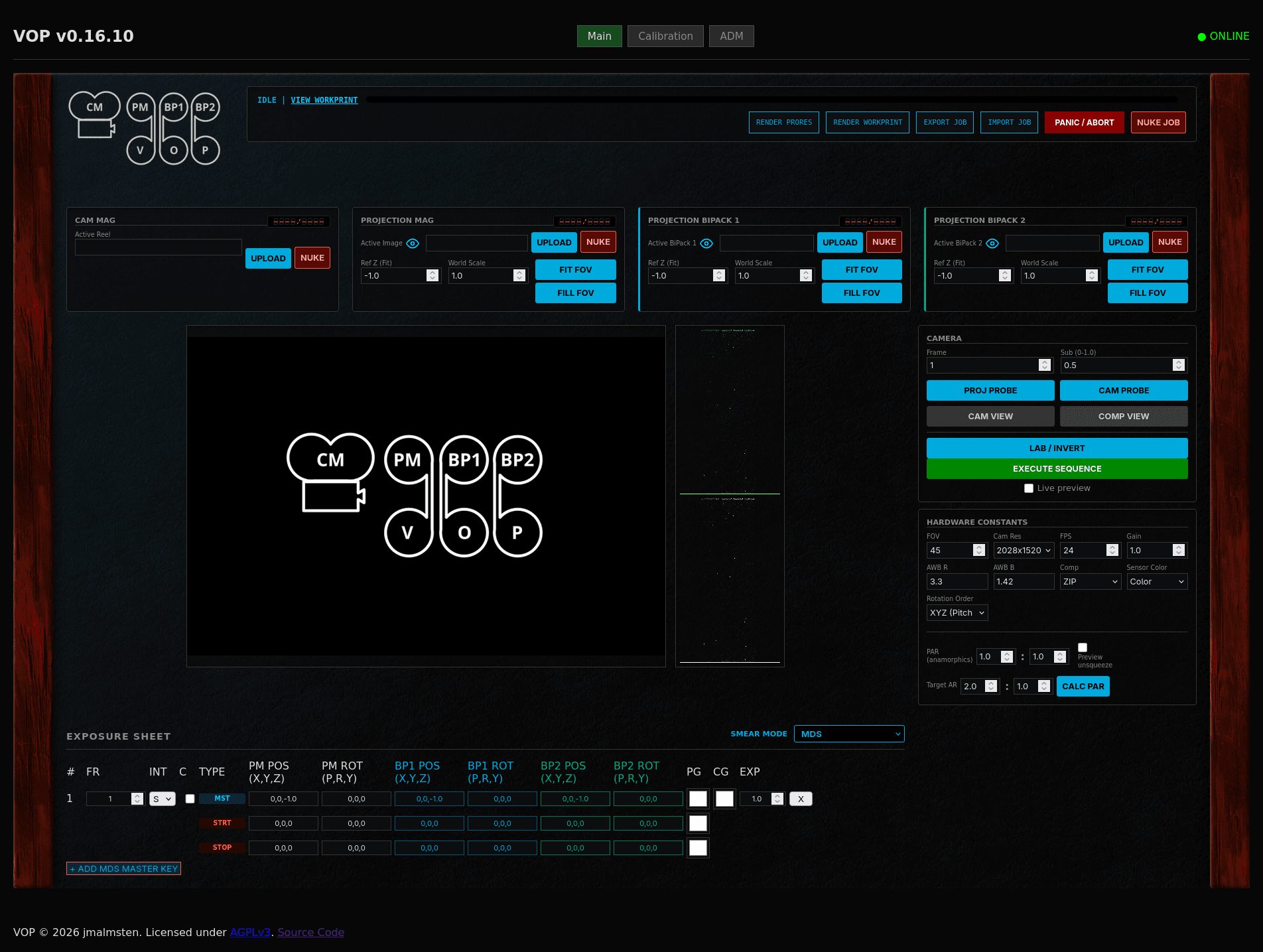
The VOP is controlled through a web-app powered by FLASK. You access it through the browser of your choice that’s capable of reaching the Pi that hosts the VOP. In it you set all the settings, you control the sequencing, trigger jobs and do single frame previews.
What formats can it output?
The VOP internally works in regular linear space TIFF files in 16 bit per channel. For absolutely the highest quality, you can mount the storage to your computer and copy over the latent images and can use them in whatever image or video editor/compositor you choose. The VOP does also output full quality ProRes 4444 video files that are quite a bit smaller in size while still being fully usable in heavy post production workflows.
Where is it?
Find the code at the GitHub repo: MAIN
To see the very latest (unstable and crash-prone code): NIGHTLY.
For the most stable releases, you can go to the releases page. Releases that I think works, but I haven’t done a full redeployment of, I mark as “pre-releases”. Use at your own peril: RELEASES
An ongoing Wiki is also found on codeberg. I’m trying to document things as much as I can there: WIKI
Other things:
For following my thoughts and development documentation. You can read on the blog you found here. And the posts that are about the VOP project should be findable here below:
- Rambling about my Video Based Optical Printer
- VOP - v26.1.0 - STABLE
- Moving the VOP to GitHub
- VOP - v0.13.1 - Prerelease
- VOP - v0.7.1 - Prerelease
- 260511 - 2001 - Slit Scan test with the VOP
- VOP Anamorphics!
- Unpause of the VOP
- Pause in VOP development
- VOP v0.7.0 prerelease!
- VOP Release Notes v0.6.2
- Teasing the VOP Screensaver!
- VOP v0.6.0 – Release notes
- Yet another VOP tease – This time a slit scan!
- Vibes and Whackamolity
- Teasing the MDS mode of the VOP