The nightly branch of the VOP now does virtual anamorphics.
Why?
Well. The VOP’s effective resolution is limited to a combo of the camera that it’s using. In my case, right now. The monitor is a regular cheapo 1080p 22 inch model in 16:9 ratio and the camera is the Raspberry Pi Camera HQ running at “half res” 2028x1520 (since both dimensions are halfed, the resulting total resolution is actually quartered). The image produced after cropping the unused vertical pixels is probably less than 1920x1080 when measured critically.
In todays world of 4K and beyond, that’s of course on the lower end of acceptable usuallt. But it’s probably enough for that ratio in practical applications.
But what about other ratios? You can of course crop in further, either horizontally or vertically. but that would mean we lose even more picture detail.
Enter… Anamorphics!
It turns out, filmmakers have wrestled with this conundrum for a hundred years already. how to get a wider image from the standard 4 perf 35mm film strips? again, you can crop and enlarge optically. But you lose definition. No matter what film enthusiasts may say. The truth is. Even film resolution is finite.
The answer is… anamorphics.
By squeezing the wider image into the slimmer negative, you don’t technically gain any details. But when unsqueezed, it’s at least not worse than the resolution that the image was recorded with (we’re ignoring non-perfect optics here). If the 4 perf 35mm image has 2 megapixels of resolution, then the unsqueezed CinemaScope fram also has 2 megapixels of resolution, instead of the 1 megapixels it would have had if you only cropped it to 2 perf.
I know. 4 perf 35mm, especially the camera negative, has way more than 2 megapixels. But for comparisons sake. Just imagine it’s a very coarse grainy film stock.
In the VOP
For the VOP, we can now do the same thing. We can squeeze the image before exposure so the image recorded is squeezed. And then in the NLE, we can unsqueeze it again to get the full 2 megapixel image. Instead of cropping it to 1.5 megapixels or whatever it would take.
In actual examples, then. Here’s a couple of test images. Both are triple-exposures (background, hold out matte, and foreground element). Both contain a colorful background and have a perfect circle in the middle. Don’t ask me why, but while squares could be used, I for some reason can always detect slightly squeezed or squashed circles. Squares are much harder to use to detect misaligned aspect ratios by eye.
Example 1 - Scope
This first example has the more common application of this method. To make a image wider than the image area normally allows. So we have the circle, it’s squished slimmer than the original perfect circle when exposed. This one has been squished by a factor of 4:3 or 1.33…:1 .
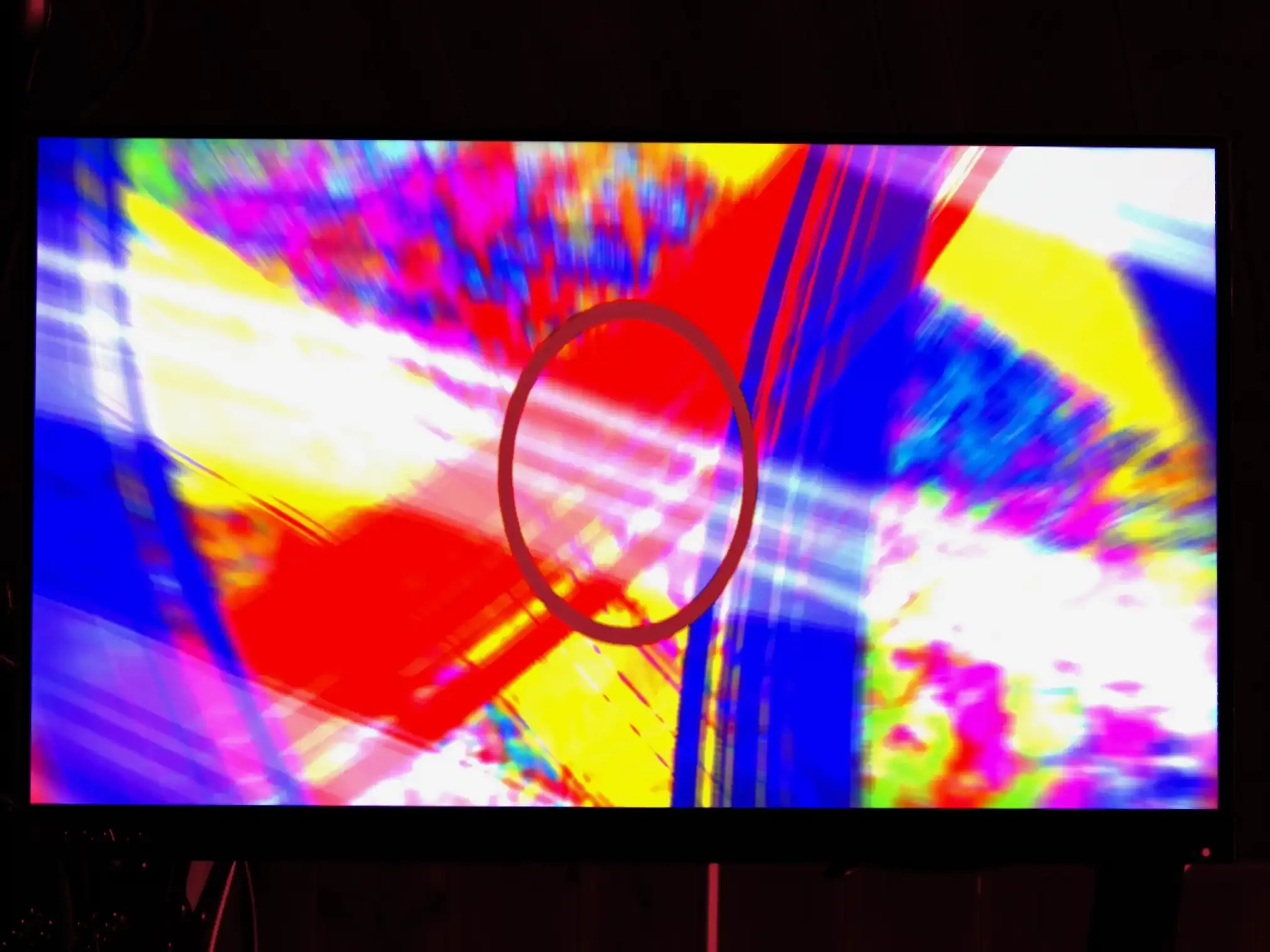
And after a quick desqueeze by the same factor. We get this result:
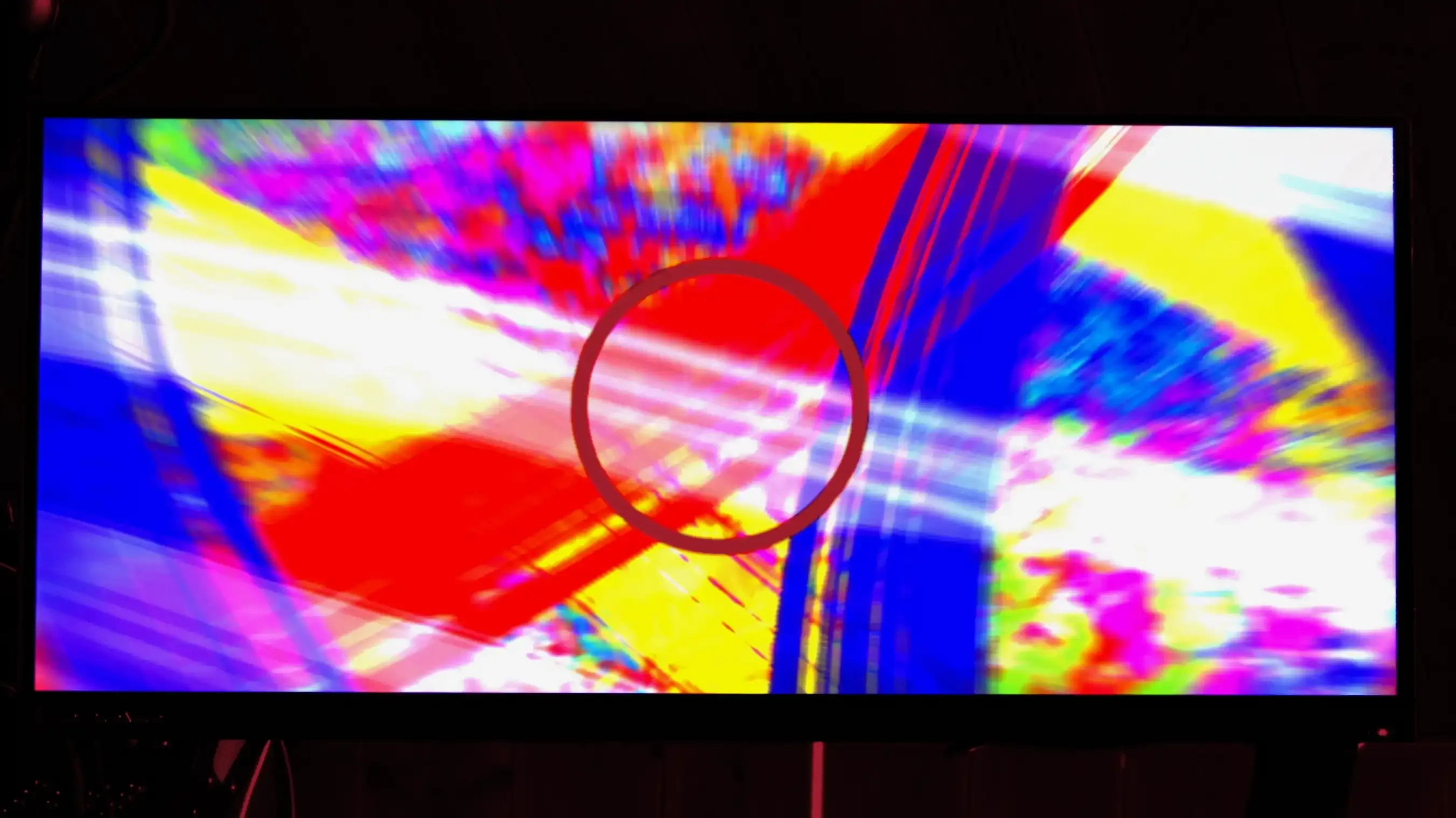
Notice that the circle is now back to its proper shape and the HDMI monitor image in general has become closer to 2.37:1 cinemascope, aka 21:9.
Example 2 - IMAX
But we aren’t limited to making things wider. We can of course make things taller after unsqueeze if we prepare the image accordingly. So here’s another example. It has been sqeezed with a Pixel Aspect Ratio (PAR) of 1:1.25. This means the squeeze before exposure is vertical. So to unsqueeze it, you need to stretch it vertically. But first the image example:
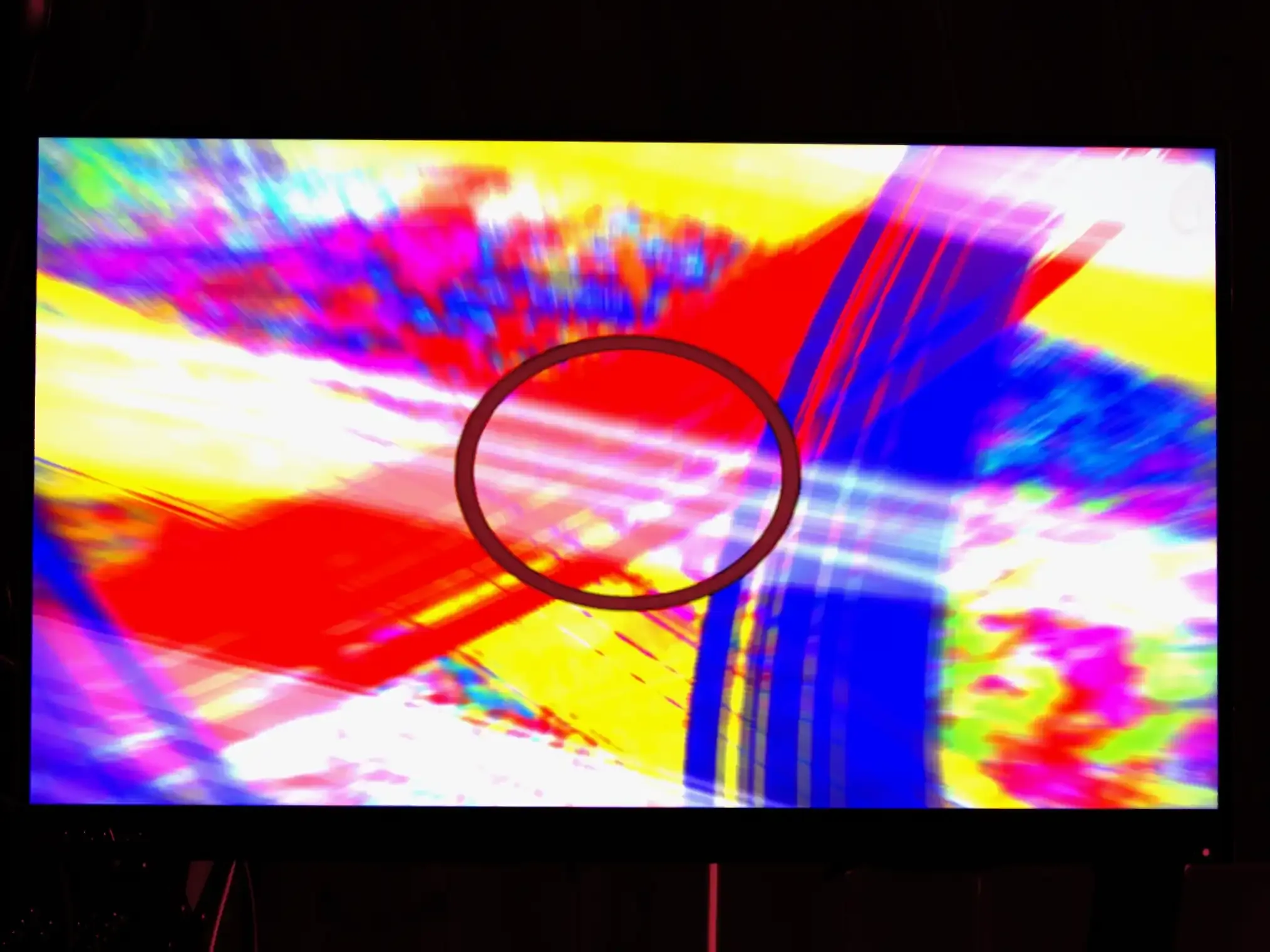
Notice there that the circle is now wider than it is tall. And the colorful background is still in 16:9. Now after a vertical desqueeze of the same factor you get this:
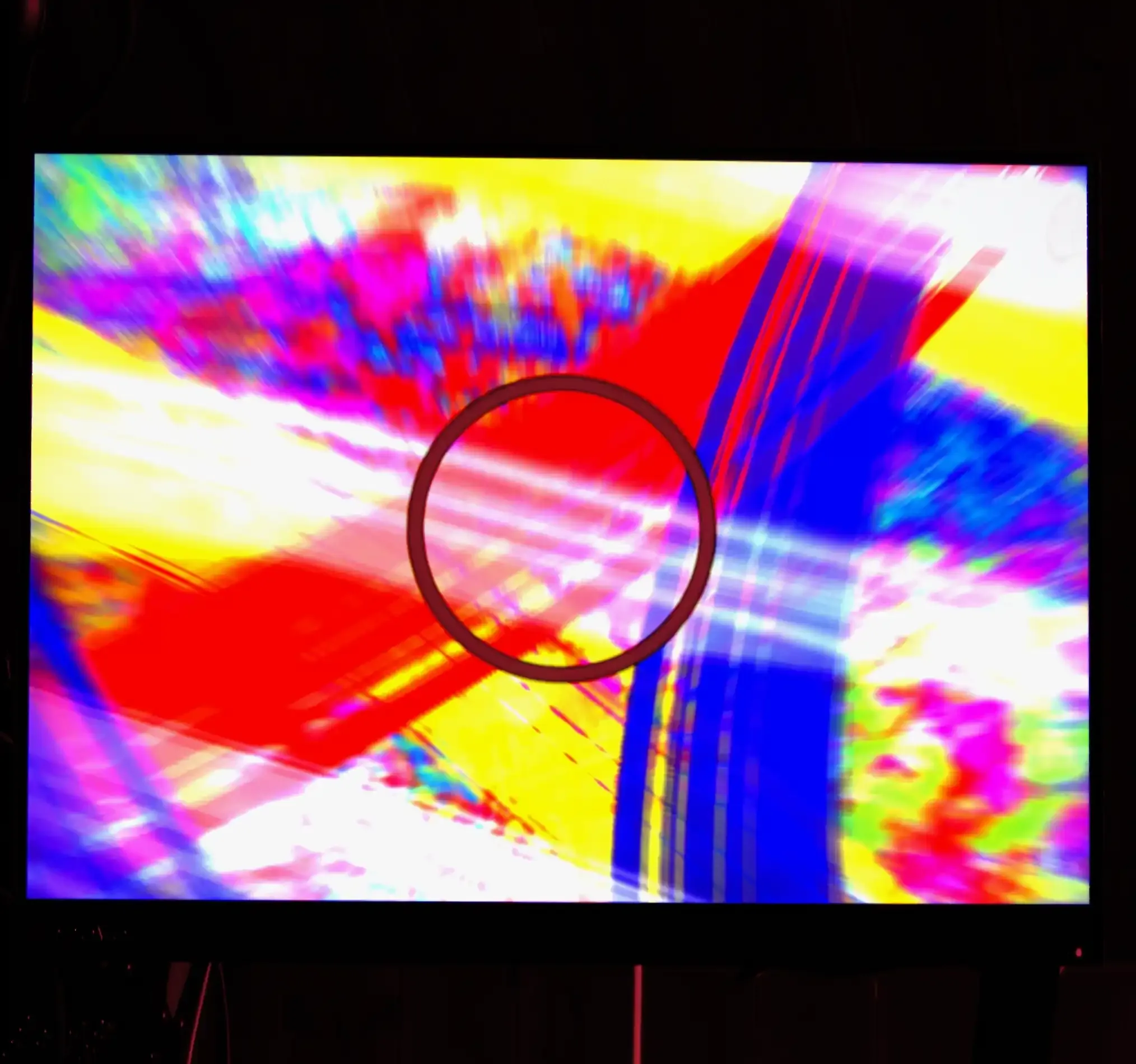
You see there that the circle is back to being perfectly circular. And the background with the monitor is now stretched to fit a ratio of 1.43:1. The same ratio as 15 perf 70mm IMAX.
The Resolution Gain of this vs crops.
The IMAX crop from a 16:9 image means you go from 1 920 x 1 080 = 2 073 600 to 1 540 x 1080 = 1 667 520 pixels. That’s a reduction of 406 080 pixels or roughly 20 %. By using the anamorphic method. You stay above the 2megapixel resolution from the camera.
And the Scope example gets us these numbers.
A crop from 1920x1080 to 2.37:1 scope becomes 1 920 x 810 = 1 555 200 pixels. That’s a reduction of 518 400. Over a half megapixel. Or a quarter of the resolution. Again. With the anamorphic method, we at least keep the full 1920x1080 resolution.
Does it matter for 1080p output?
In all honesty. Probably not that much. Simply because even if we keep the pixels, when rendered to the standard 1920x1080 frame with letterbox or pillarbox. We are getting the same results as if we cropped it. Mostly.
The real difference would be in larger canvases. Like a 4K or UHD timeline. There we can actually preserve the detail we protected with this methodology. Because upscaling a 2.07 megapixel image gives you more detail than a 1.67 megapixel or 1.55 megapixel image.
Is it limited to 16:9 1080p formats?
Essentially, no. The monitor I have the VOP running on is limited to 1080p at 16:9. But I have ordered a 3:2 image that has 2 160 x 1 440 pixels. That’s a working canvas of 3 110 400 pixels. If all goes to plan. I should be able to then get a 3 megapixel source image and that would get me closer to 3 megapixels for upscaling to a UHD 16:9 timeline.
Of course, having the camera limited to 2 028 x 1 520 captures does bottleneck the resulting image to closer to 2 028 x 1 352 when capturing the 3:2 monitor. But that’s still 2.74 megapixels. It’s still a much better starting ground for upscaling to 4K or UHD. And for really pixel peeping jobs, I can unchain the camera to let it capture at full 4 056 x 3 040 to get the full 3 megapixels of the canvas.
For example. I could do 16:9 with that screen by using a PAR of 1.185:1, or Scope with a PAR of 1.58:1, or IMAX with 0.95:1 or 1:1.048… or Ultra Panavision 70 (2.76:1) with 1.84:1. Or a perfect square using a PAR of 1:1.5. All with preserving 2.74 megapixels (or slightly less) of resolution.
Relevance for v0.7?
I admit. This was a side quest. Now. I think I’ll go back to making features that are closer to the purpose of v0.7. Optical printer stuff. Like Looping mechanisms. I have some ideas. I just have to concentrate on them.